 Roser Bernabé
From Fragmented Patterns to a Scalable Navigation System
Designing a scalable navigation and resource structure to reduce cognitive load, improve consistency, and establish system-wide coherence in Datamaran.
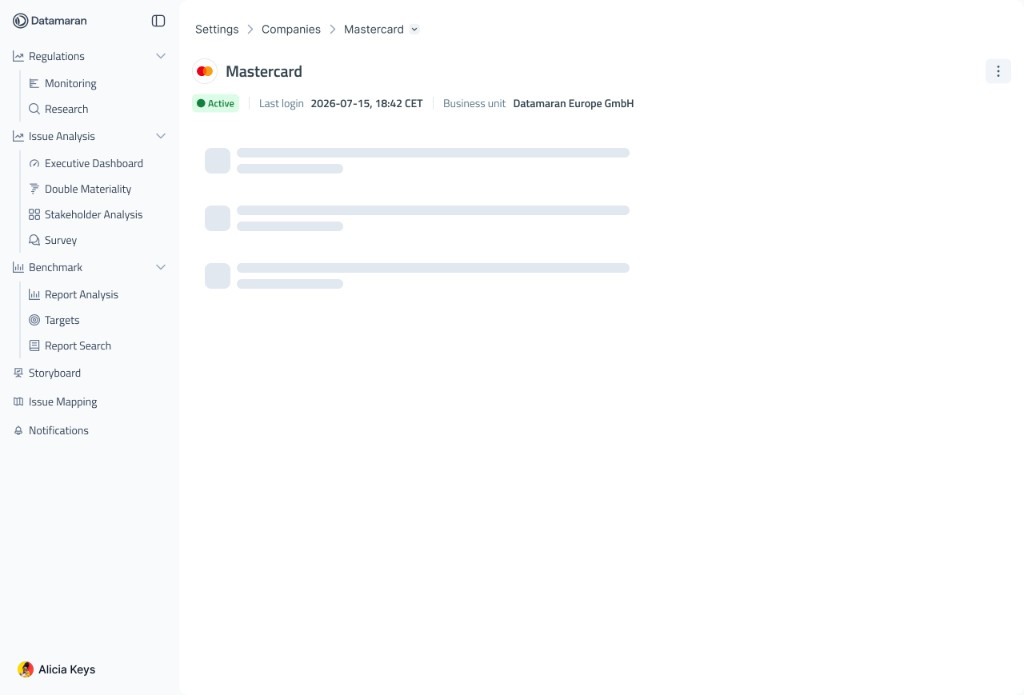 BeforeAfter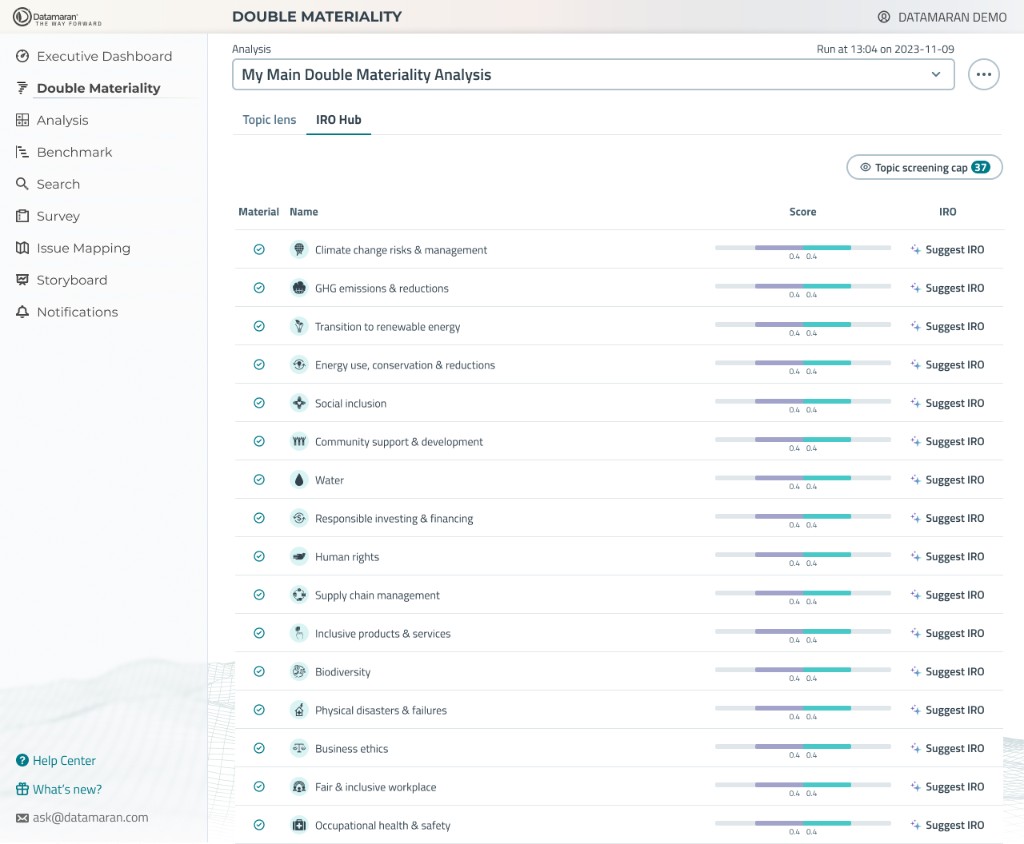
Drag the curtain to compare before and after
What is Datamaran
Datamaran is a risk and sustainability management platform. It helps organizations identify, analyze, and act on strategic risks, bringing data, reporting, and decision-making into one place.
The Problem
As Datamaran's platform grew, the design team moved fast—solving immediate navigation needs with quick, isolated solutions. This kept momentum, but no one was tracking how these decisions would compound across the system.
The result: fragmented navigation. Each module followed its own structure, with different layouts, navigation logic, and visual hierarchies. No shared components. No consistency.
User impact: Cognitive friction. Users had to relearn navigation every time they switched modules. No predictable patterns. No transferable knowledge.
System impact: This fragmentation revealed a deeper issue—the absence of a unified design framework and governance. Without clear guidelines for structure, spacing, components, and behaviors, each module evolved independently. The product felt like a collection of tools, not a platform.
The Objective
Unify the navigation experience across the platform. Solve more problems with fewer patterns.
The goal was to reduce user friction, improve usability, accelerate development, and strengthen product identity by enforcing structural consistency at the system level.
Process & Approach
Research & Audit
I conducted a comprehensive audit of all existing modules, documenting navigation patterns, layouts, and inconsistencies. I interviewed users and reviewed support tickets to understand where navigation caused confusion.
Information Architecture
I mapped user journeys across the platform, identifying common paths and pain points. This informed the hierarchy and structure of the new navigation system.
Component Design
I designed the breadcrumb and resource header components in Figma, creating variants to handle different states, depths, and action configurations. Each component was built to be flexible but constrained—adaptable to context without breaking consistency.
Documentation & Governance
I created comprehensive design specs and usage guidelines, defining when and how to use each component, what variations are allowed, and what edge cases to consider. This documentation became the foundation for design and development handoff.
Implementation & Iteration
I worked closely with engineering throughout implementation, answering questions, adjusting specs when technical constraints surfaced, and validating the final build against the design. Post-launch, I monitored usage data and gathered feedback to refine the system.
The Solution
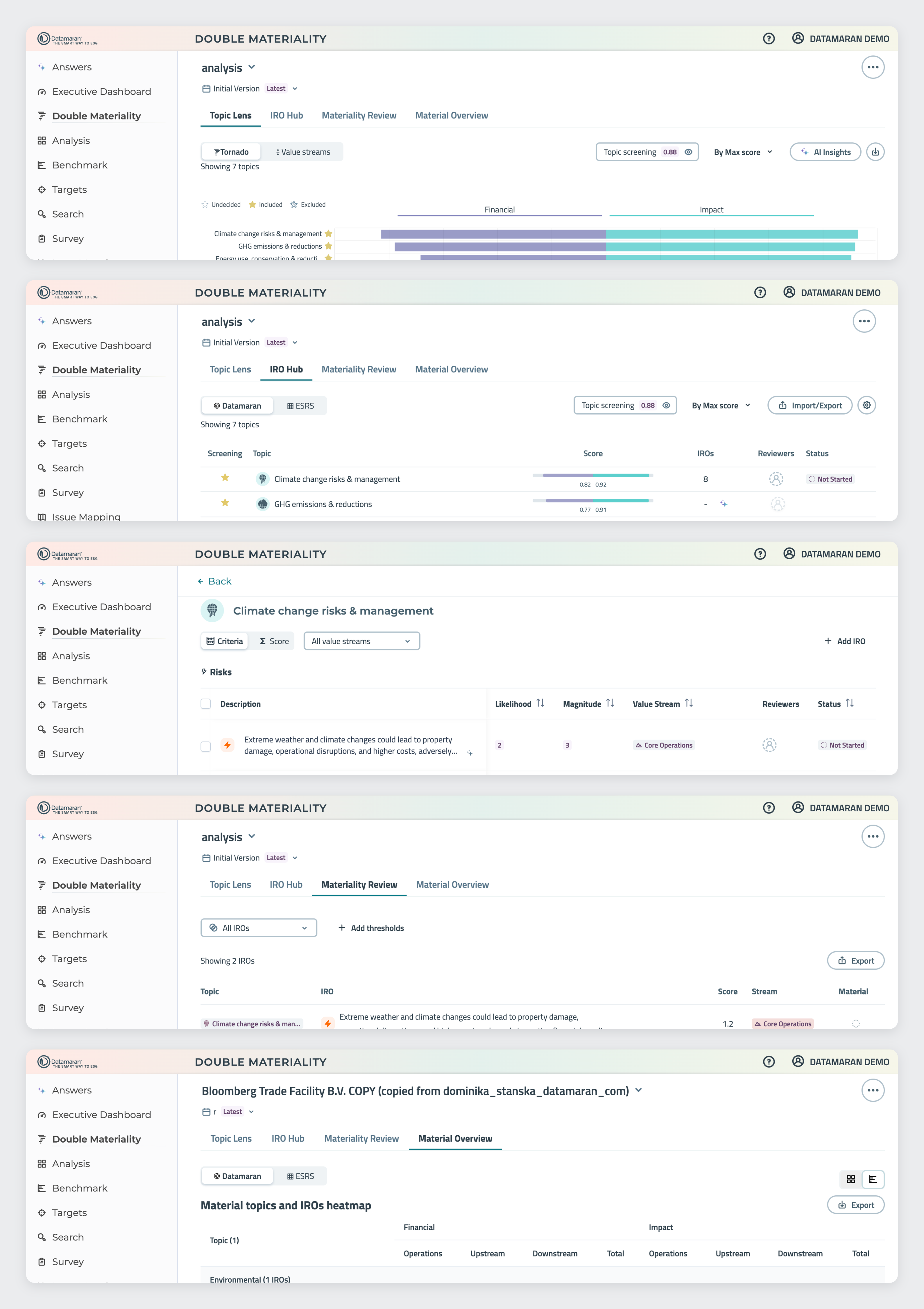
I designed a scalable navigation system that now powers all of Datamaran's modules. The work involved:
- Establishing a comprehensive information architecture to simplify user journeys
- Designing intuitive navigation elements—breadcrumbs and resource headers—that provide clear wayfinding and context
- Defining consistent rules for layout, hierarchy, and interaction patterns
Breadcrumb Navigation
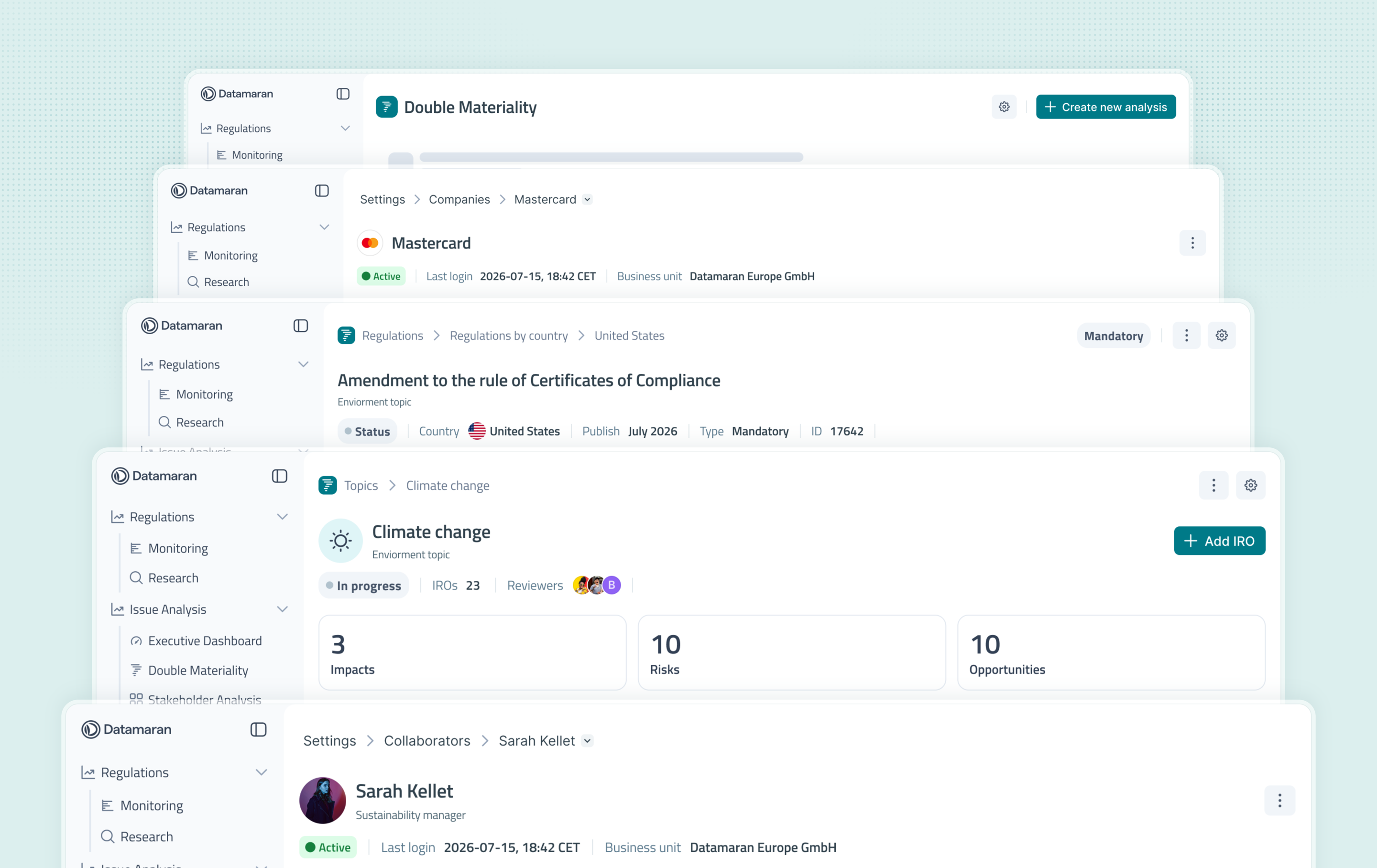
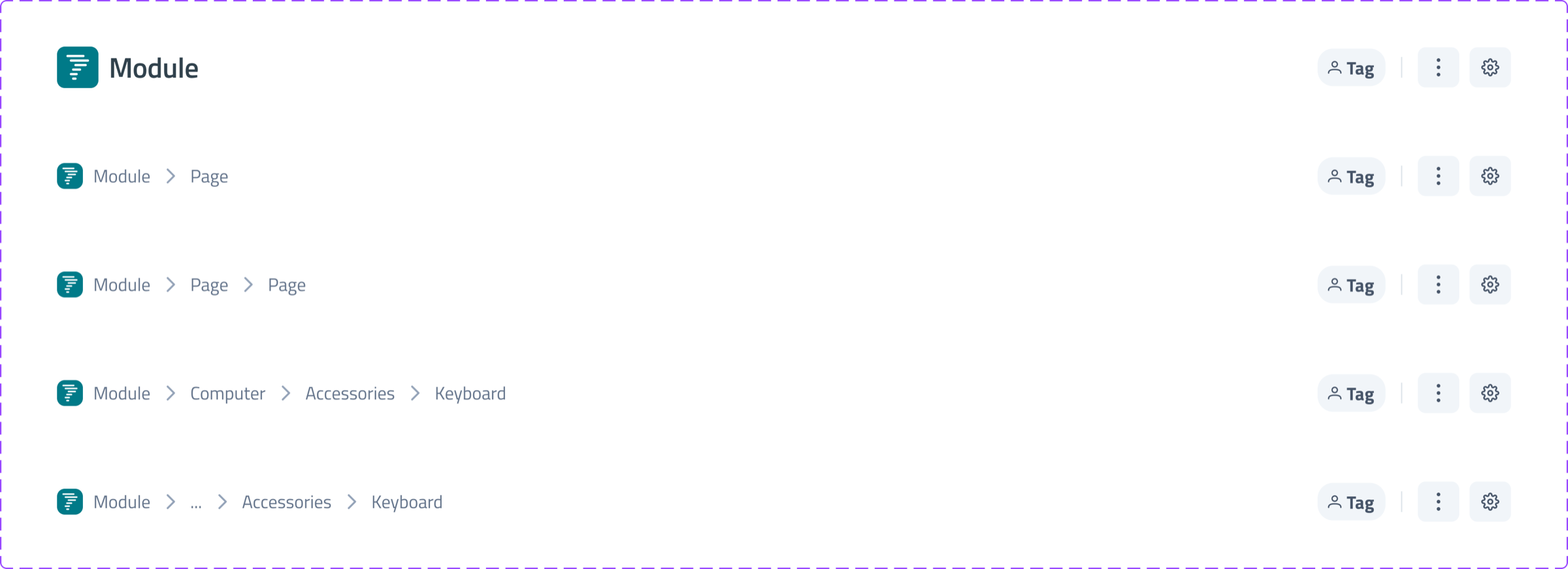
The breadcrumb provides hierarchical navigation and contextual awareness across module levels.
At the top level, module-related actions appear on the right. These can exist at the same hierarchy level or be structured as primary and secondary actions, depending on priority.
When navigating deeper—particularly in modules with analysis-switching dropdowns—the dropdown is intentionally removed. This reduces visual noise and cognitive load. If users need to switch analyses, they return to the main page where the selector exists in proper context.
When navigation exceeds four levels of depth, an ellipsis provides progressive disclosure. This keeps the breadcrumb readable and balanced while preserving access to the full hierarchy.
Resource Header
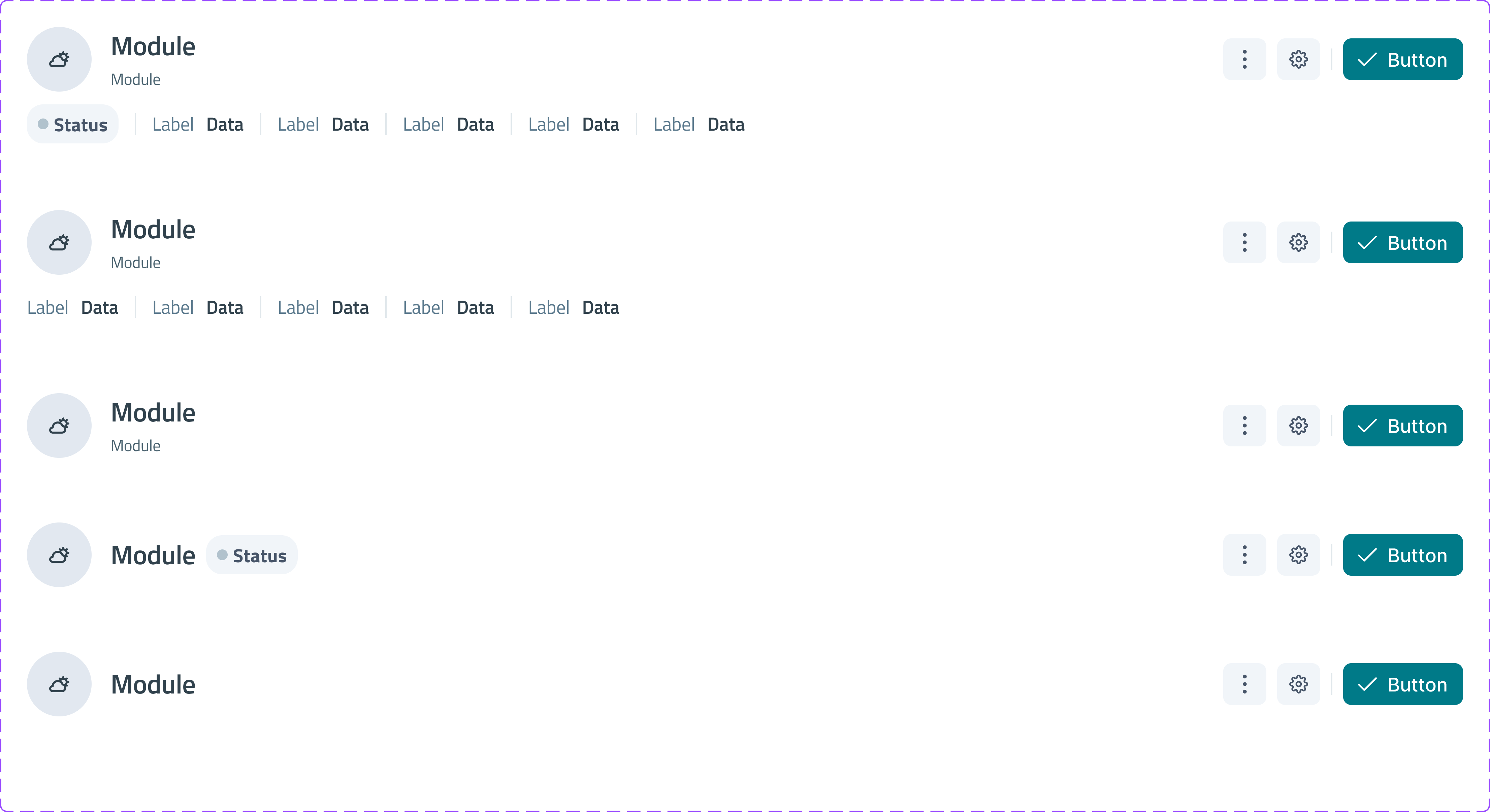
The Resource Header is the primary identification layer for any resource (analysis, document, entity, etc.). It provides immediate context, key metadata, and actionable controls in a structured, consistent way.
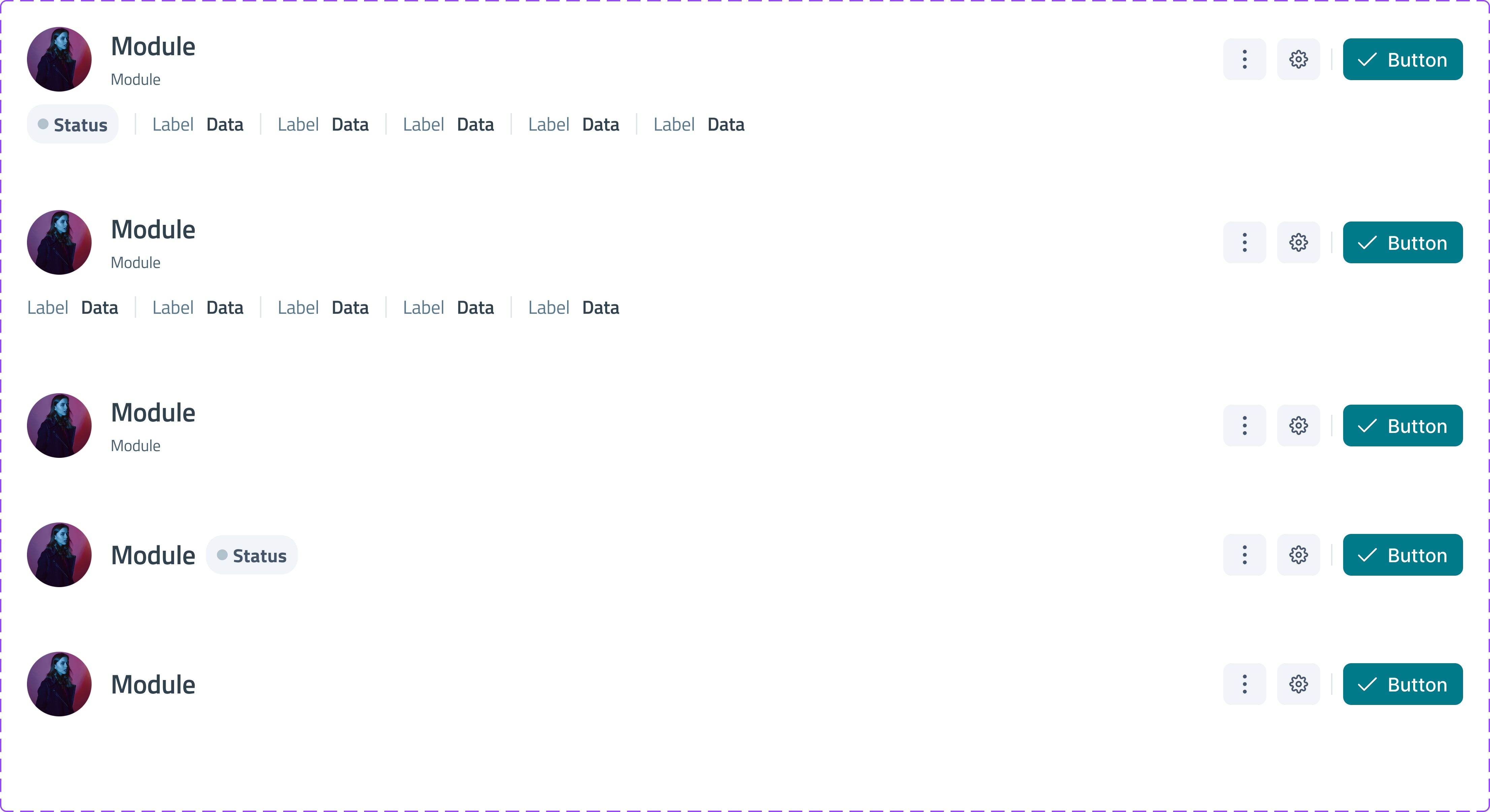
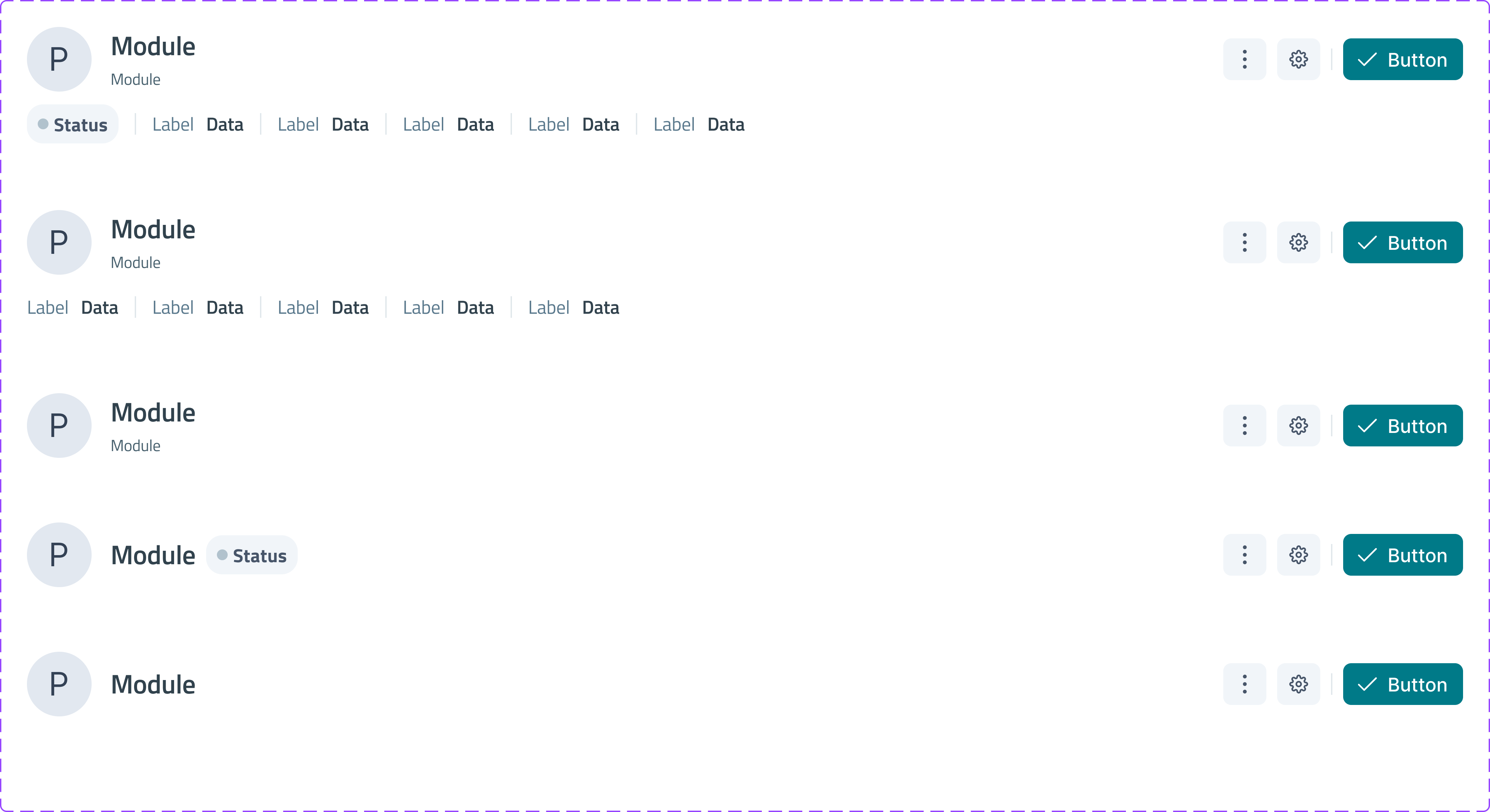
Avatar + Title — the main identifier, always the most prominent element. The avatar adapts based on content type using defined variants.
Description (optional) — short explanatory text that supports the title when clarification is needed, without competing visually with the main identifier.
Status Indicator (optional) — a status chip can appear inline with the title or within the metadata row, depending on how important status is in each module.
Metadata Row — a structured list of label–value pairs (Owner / Name, Updated / Date, etc.) for ownership, dates, categorization, or relational data. Horizontally distributed, scannable, and responsive when space is tight.
Action Configuration — the right side is reserved for actions. Secondary actions stay outlined or neutral; a primary action can be visually dominant. Multiple actions can share a level while one remains clearly primary.
Impact
This navigation system introduced structural consistency across all modules, delivering measurable benefits:
For users
- Reduced cognitive load: navigation patterns transfer across modules
- Clear wayfinding: always know where you are and how to move through the product
- Predictable interactions: familiar behaviors reduce learning time
For the design team
- Faster design decisions: clear patterns reduce ambiguity
- Scalability: new modules inherit the system by default
- Governance: defined rules prevent fragmentation from returning
For development
- Reusable components: less custom code per module
- Consistent implementation: shared logic reduces bugs and speeds up builds
- Easier maintenance: changes propagate system-wide
Key Takeaways
- Systems beat one-offs: Quick fixes without governance create debt. A shared system costs less — even when you build it mid-growth.
- Flexible, not rigid: Breadcrumbs and resource headers stay consistent in logic, but open enough for each module’s needs.
- Systems need ownership: Components alone aren’t enough. Docs, rules, and habits keep fragmentation from coming back.
- Build with engineering: Working together from the start made adoption easier — and the final build stronger.