 Roser Bernabé
From manual inventory to automated access
Companies pay for dozens of work tools without knowing what they cost, who uses them, or whose access to grant or remove. We launched a manual MVP to track spend and licenses, learned it was still too manual, and evolved it into a version that connects to the tools and automates everything.
Visit product page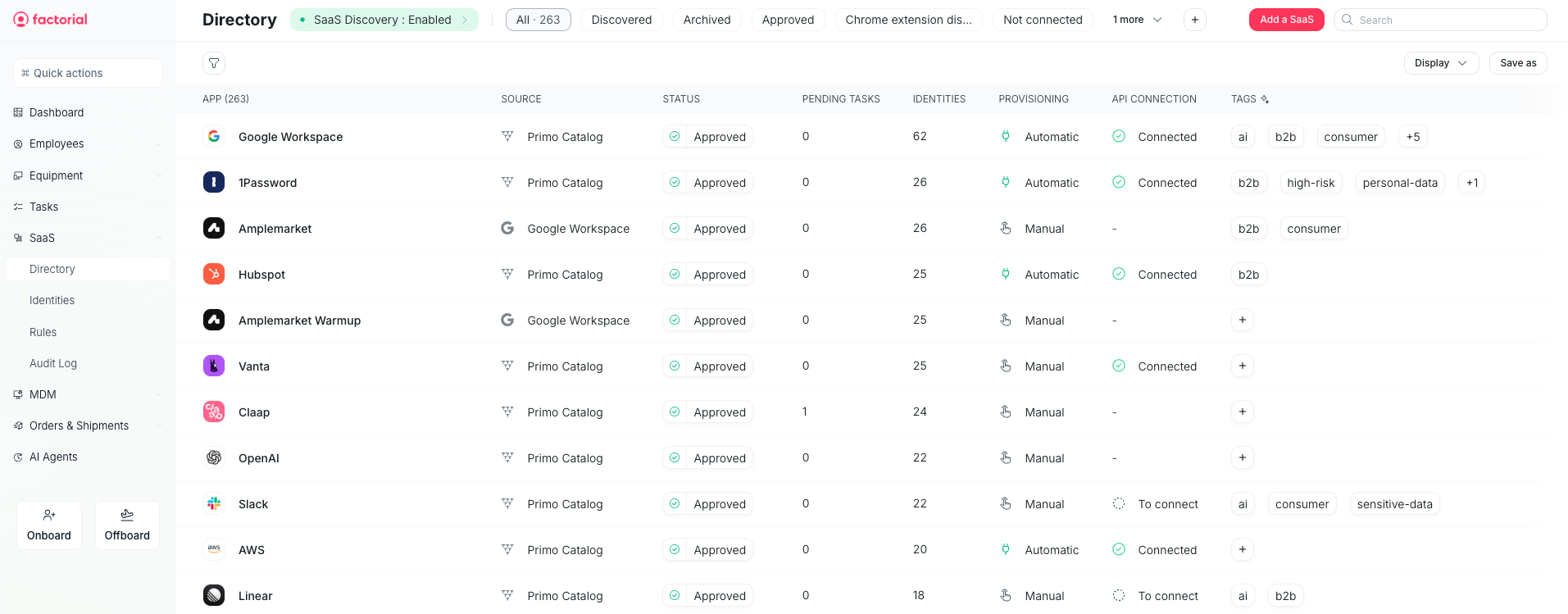
Summary
Companies pay for dozens of work tools without knowing what they cost, who uses them, or whose access to grant or remove. We launched a manual MVP to track spend and licenses, learned it was still too manual, and evolved it into a version that connects to the tools and automates everything.
The problem
An example. Laura runs IT at a 200-person company that uses 30 tools. One Monday, three new people join: Laura opens each tool and creates their accounts one by one. That same day a sales rep leaves, and nobody remembers to remove their CRM access. Three months later, that person can still see the customer list, and the company is still paying for their license.
- Security risk: people who leave keep their access.
- Wasted money: companies pay for licenses nobody uses.
- IT time: accounts are created and deleted by hand, tool by tool.
What we heard
“Our software costs are spiraling, and the worst part is, we can't accurately trace where the money is going.”
— Rose (IT Admin)“Updating or removing accesses when they are no longer necessary can take time and generate mistakes.”
— Arik (HR Manager)“The unused licenses are just the tip of the iceberg. Some teams lack the tools they need, while others have more than they use. It's a challenge to strike the right balance and ensure everyone has what they need.”
— Juan (IT Admin)“We need a solution that not only helps us track licenses accurately but also optimizes our spending.”
— Helen (IT Admin)
Market opportunity
The SaaS management market is set to double from $4.58B in 2025 to $9.37B by 2030 (15.4% CAGR), driven by app sprawl and decentralized buying (MarketsandMarkets).
Source: Zylo 2026 SaaS Management Index. The last two figures back our version 2 bet: most SaaS is bought outside IT and paid through expenses, so integrating with the expense app is where the data really lives.
- $9,455median SaaS spend per employee.
- 36%licenses that go unused.
- 81%of SaaS spend controlled by business units (not IT).
- +267% YoYgrowth in SaaS bought through expenses.
Version 1: the manual MVP
Hypothesis: if companies could see all their tools, users and costs in one place, they could control both spend and access.
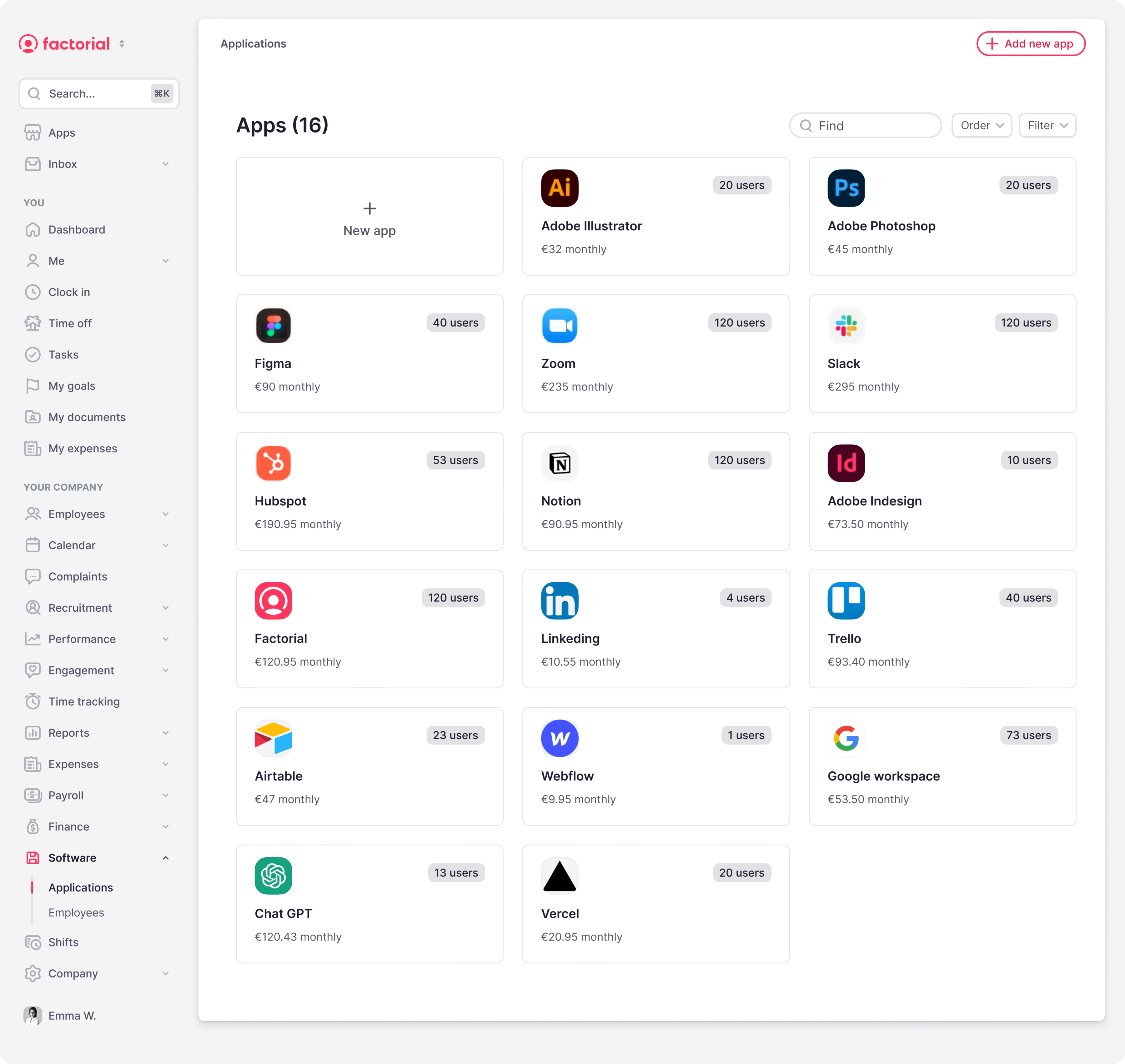
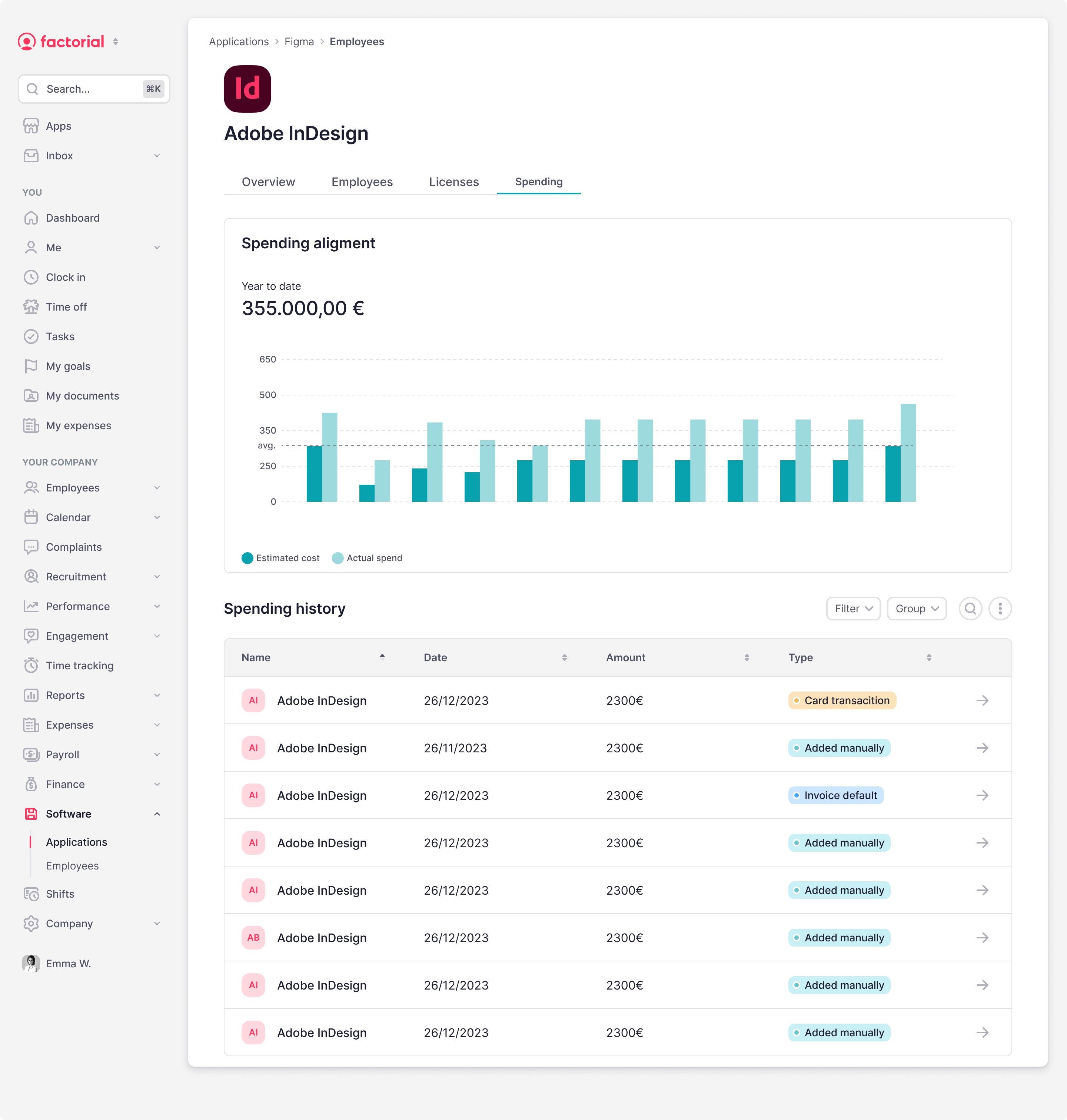
Version 1 was a manual MVP built for IT. Instead of juggling thirty admin panels and spreadsheets, IT got one inventory of every work tool the company paid for — who owned it, who used it, what it cost, and when it renewed.
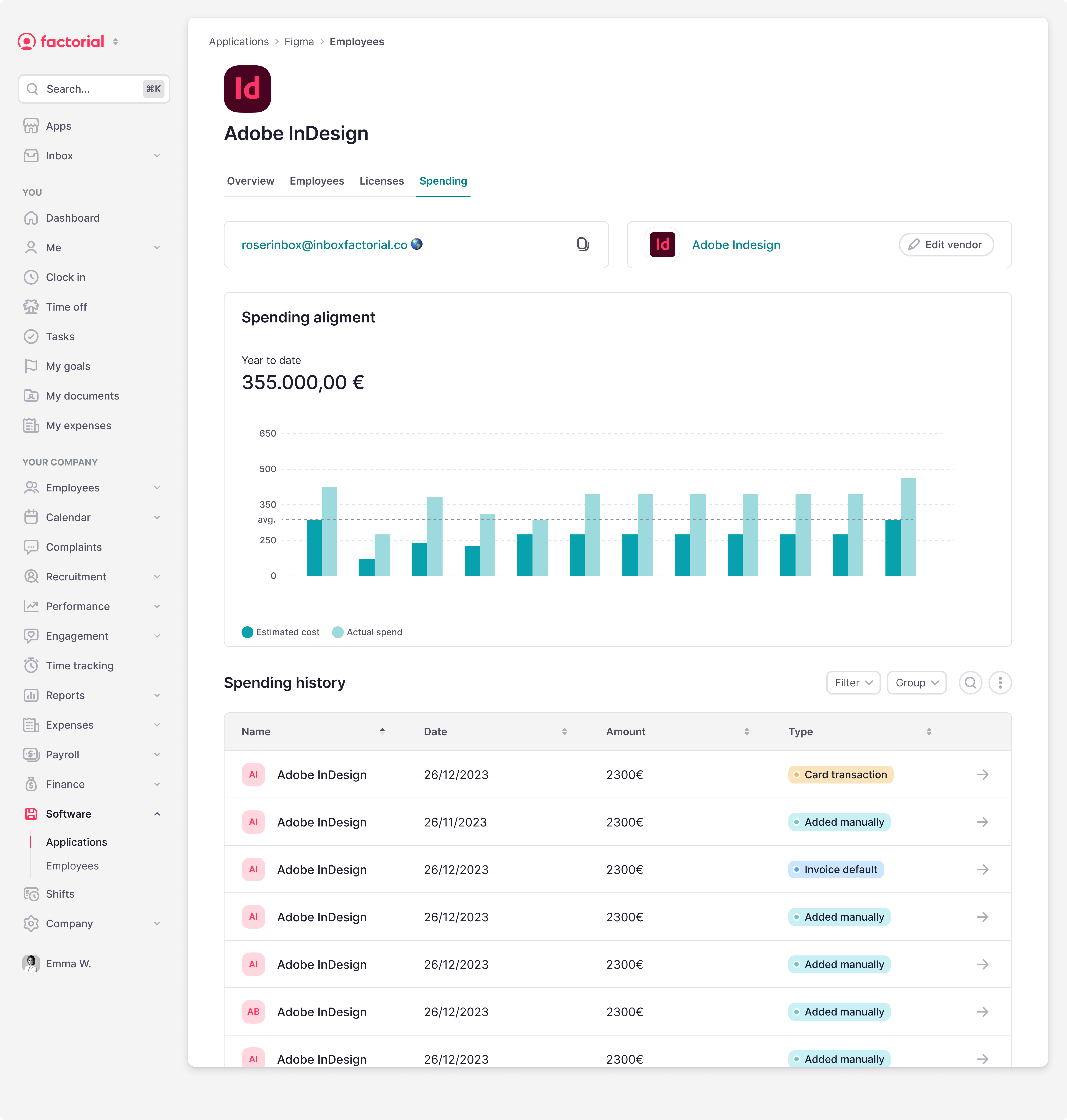
The catch: IT still entered everything by hand. The product did not connect to the tools yet. Its job was to organize what IT typed in, show estimated vs actual spend, and remind them what to do next. These were the pieces:
Software inventory
IT added each tool — name, owner, price, and renewal date. The system kept the full list in one place and reminded them before each renewal.
Users per tool
IT listed the employees using each tool. The system showed who had access to what, and the cost per person.
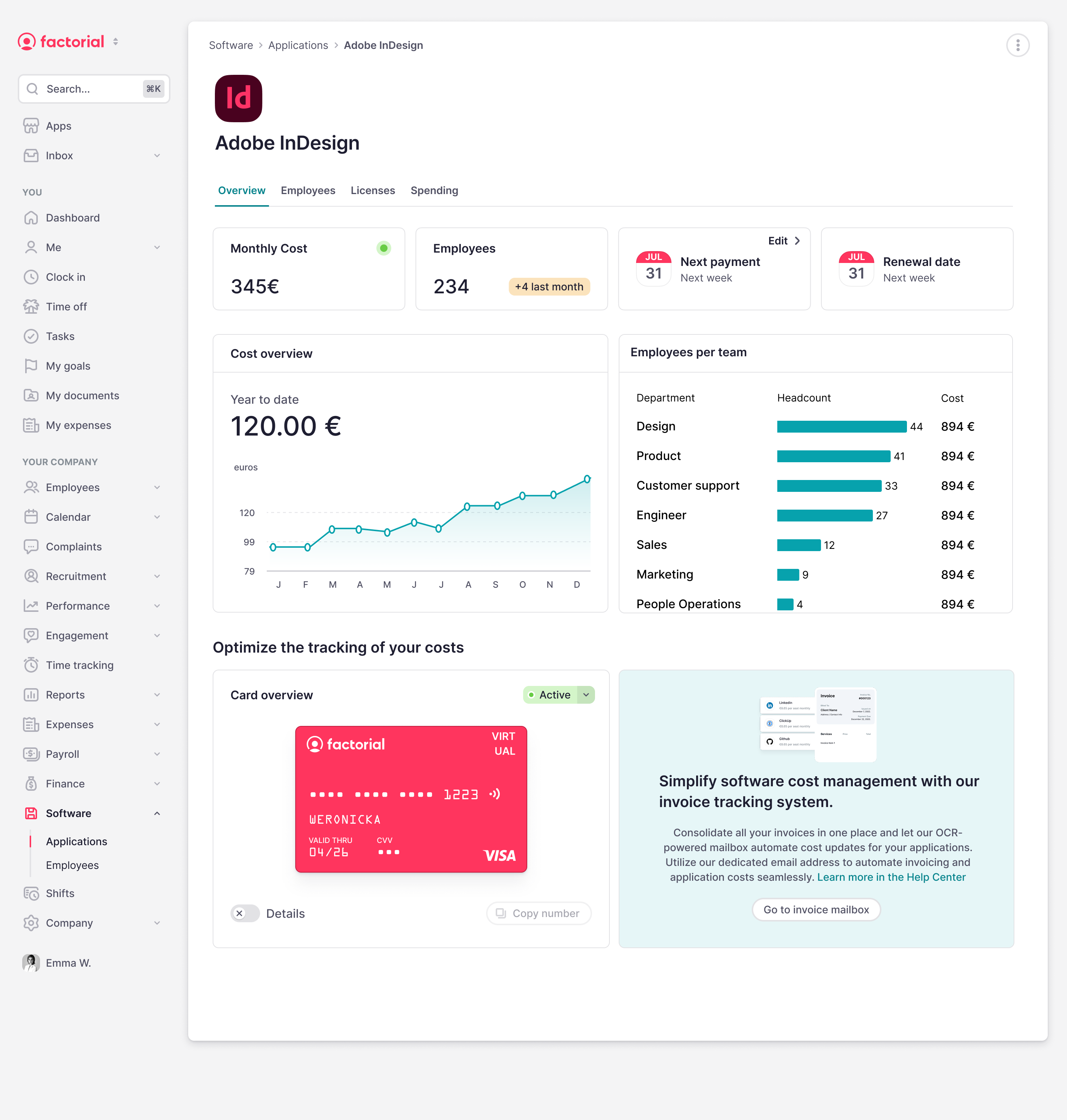
Payment card per tool
IT requested a virtual card and used it to pay that tool’s subscription. The system logged every charge against the tool, so real monthly spend was visible without a spreadsheet.
Invoice email
For tools not paid by card, IT forwarded invoices to a dedicated company address. The system read each invoice, extracted amount and date, and assigned it to the right tool.
Onboarding and offboarding alerts
IT still created or removed accounts in each tool by hand. When someone joined or left, the system listed which tools to grant or revoke based on their team — a reminder, not an automatic action yet.
What it achieved
For the first time, companies had one view of their tools, who used them and what they cost. But keeping that view accurate still depended on IT.
What didn’t work
- The cards didn’t fit: most companies already paid through their expense app and didn’t want to switch cards. → Integrate with the expense app they already use.
- Manual data went stale: if IT forgot an update, the data became unreliable. → Get the data straight from the tools.
- Alerts weren’t enough: IT still had to act by hand. → The system must act, not just alert.
Version 2: connected and automated
Hypothesis: if the data comes straight from the tools and the actions happen on their own, IT only has to set things up once.
In version 2, IT connects each tool once and the HR system becomes the single source of truth: whatever HR records (a hire, a team change, a departure) is applied to every tool automatically. It rests on three pillars.
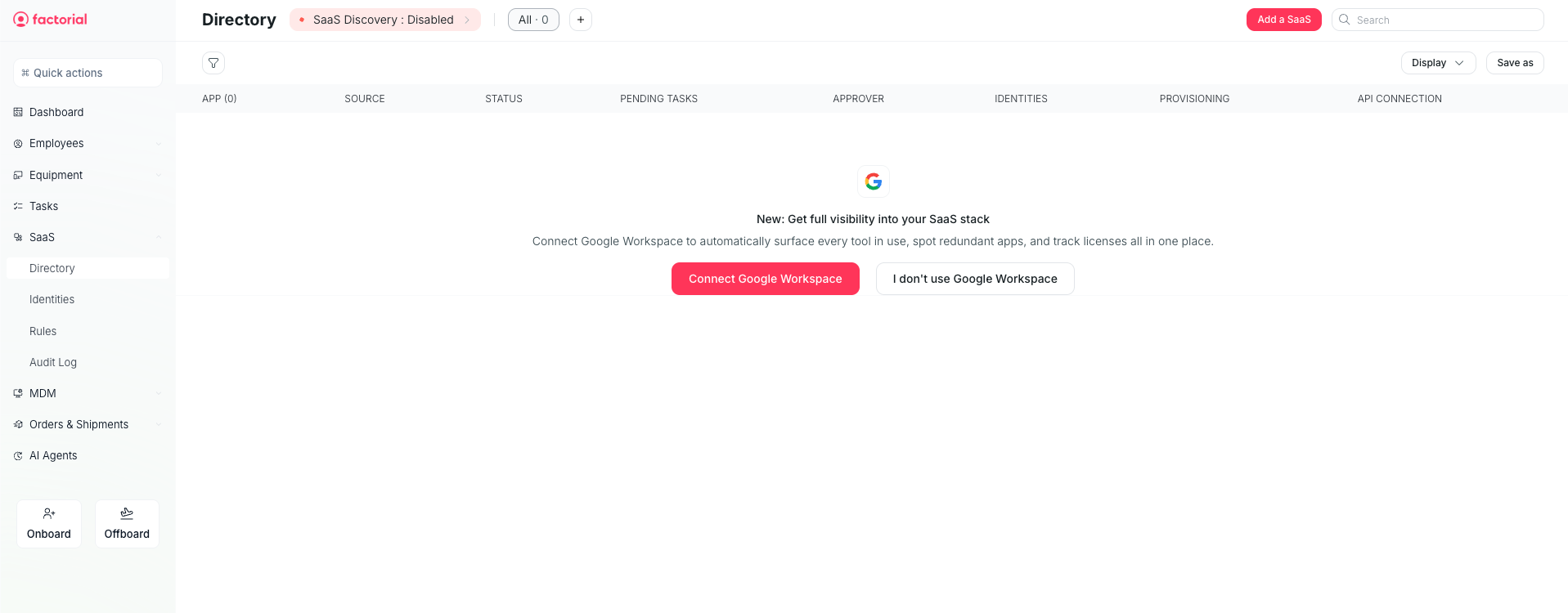
Connect the tools
IT picks an app from a catalog and follows a step-by-step guide. Depending on what the app allows, the connection works in one of four ways:
Access key (API): IT generates a secret key in the tool and pastes it in, so the system can act as an admin.
Standard user language (SCIM): the system sends instructions like “create Ana, Sales team”, and the app carries them out.
Single sign-on (SSO): the tool trusts Google or Microsoft to know who belongs to the company.
AI assistant: for apps with no integration, an AI logs into the website and clicks through the steps a person would, then checks it worked.
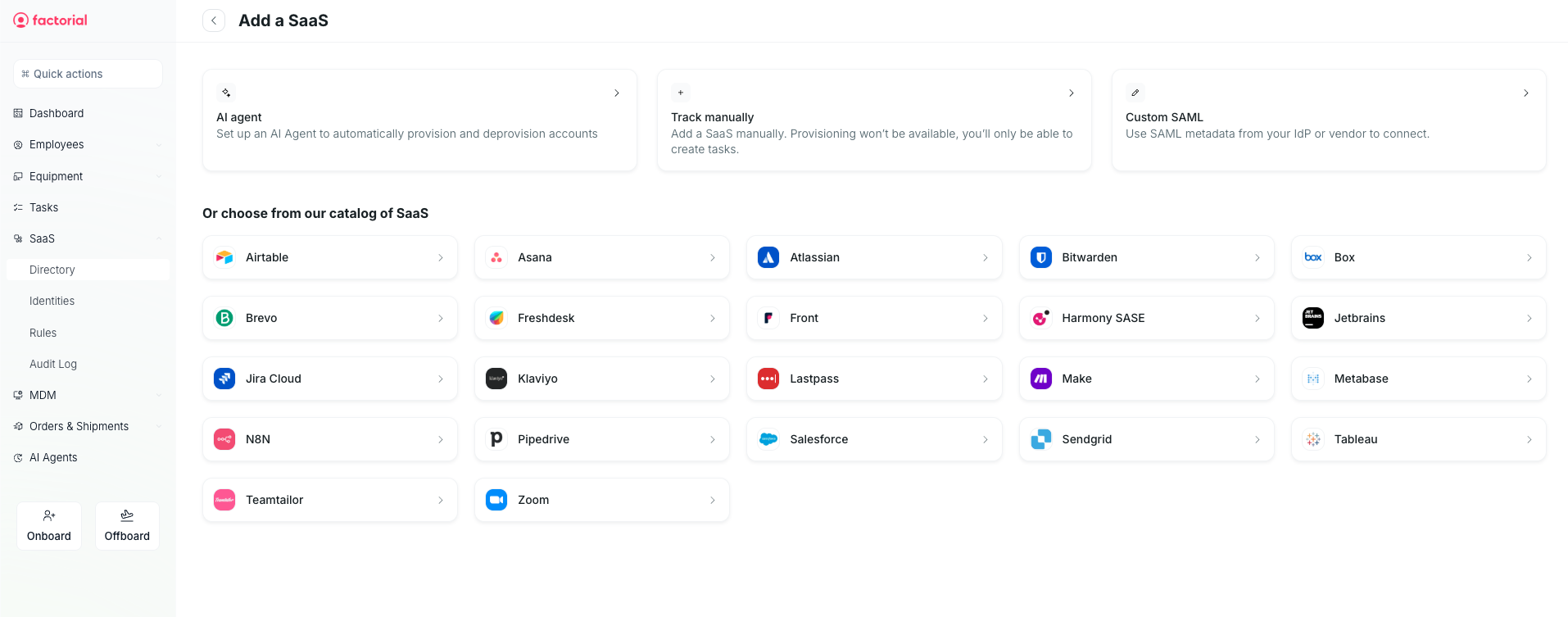
Track licenses and spend automatically
Instead of IT typing who uses what, the system asks each tool every day for its list of accounts and license types. It compares that list with HR’s employee list to flag accounts of people who left, accounts that belong to no one, and licenses nobody uses. Costs come from the expense app the company already uses, not from a new card.
Example: if a tool has 50 paid licenses and only 40 active users, it flags the 10 spare ones before renewal.
Automate access
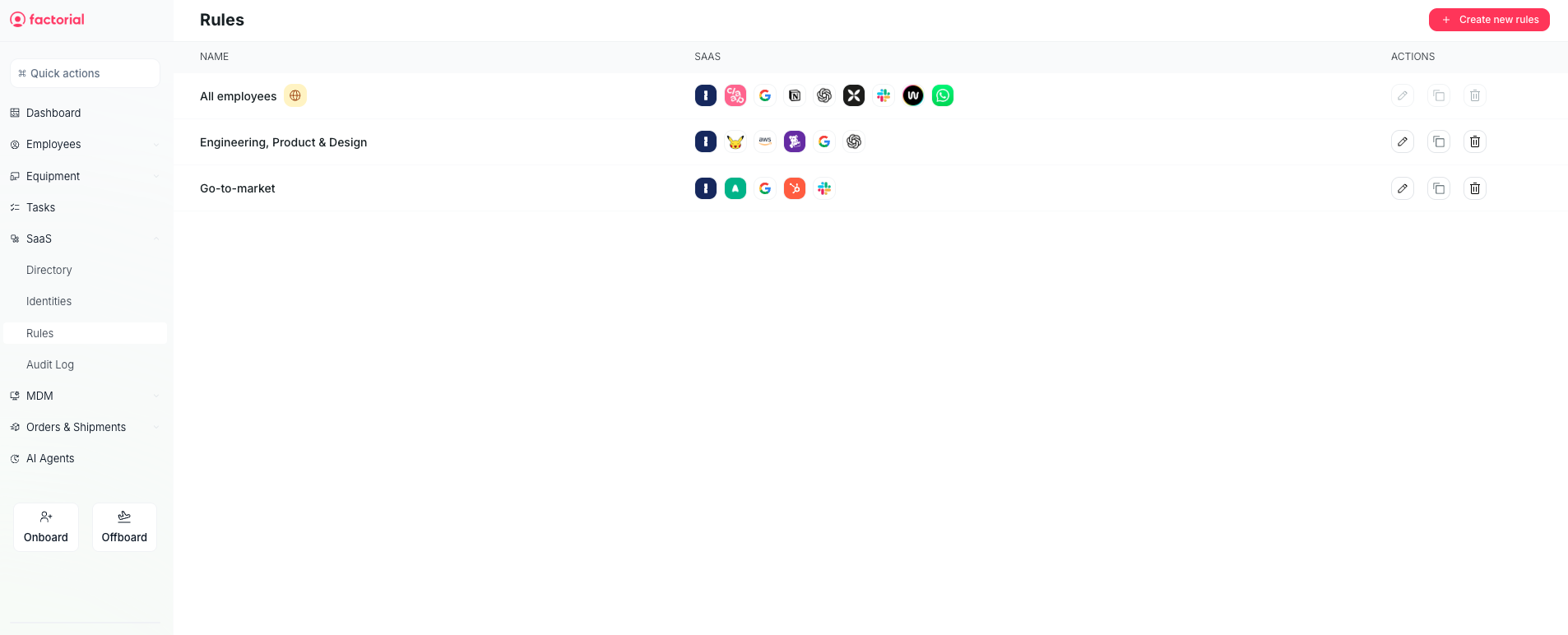
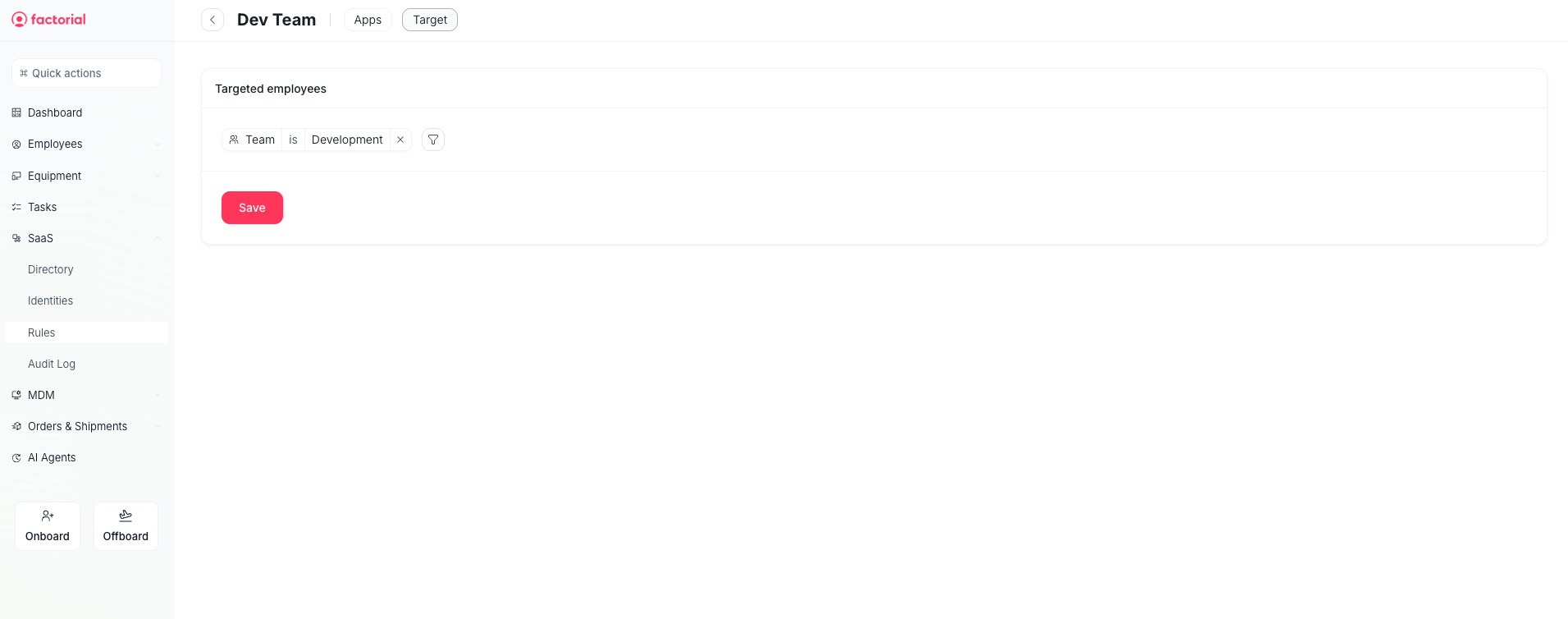
IT writes rules once, such as “Sales in Madrid gets Google, Slack and HubSpot.” From then on, every change in HR triggers the same recipe: change in HR → check the rules → update each app → verify and log. If it fails, retry and alert IT.
Example: Ana signs her contract in Sales, Madrid, and gets her email, Slack and HubSpot before her first day. If she moves to Marketing, her groups change automatically. When she leaves, every account is deactivated within the hour.
What changed from version 1
- Tool list: Version 1: entered by IT. Version 2: connected from a catalog.
- Who uses each tool: Version 1: entered by IT. Version 2: read from the tool daily.
- Spend: Version 1: new card or forwarded invoices. Version 2: read from the existing expense app.
- Onboarding / offboarding: Version 1: alert, IT acts by hand. Version 2: accounts created and removed automatically.
Success metrics
- < 1 hourtime to remove all access after someone leaves.
- ≥ 95%new hires with all tools on day one.
- −80%manual access requests to IT.